
USB power points are one of those upgrades that seems trivial until you’ve lived with them, at which point the bedside table with a wall wart hanging out of it starts to look genuinely annoying.
They’re also one of the easiest ways to get sold something that’ll be obsolete in three years. Here’s what actually matters.
Get the USB-C question right first
This is the whole ball game, and plenty of outlets still on shelves get it wrong.
USB-A is the original rectangular port. It’s fine for older accessories and it’s on its way out.
USB-C is the reversible oval one. It’s now the standard on essentially everything — phones, tablets, laptops, headphones — and in the EU it’s legally mandated. Australia has followed the market to the same place.
What to install: either USB-C only, or a combination outlet with at least one USB-C. Installing USB-A only in 2026 is fitting something you’ll want replaced within a few years, and replacing a wall outlet isn’t a five-minute job.
Also check it supports USB Power Delivery (PD). Without PD, a USB-C port will charge a phone slowly and won’t meaningfully charge a laptop at all. PD is what lets the port negotiate higher voltages and actually deliver useful power.
Wattage: the number that decides whether it’s useful
The specification most people don’t look at, and the one that determines whether the outlet is worth having.
Under 12W total — trickle charging. Fine overnight for a phone, frustrating for anything else.
18–30W — fast charging for a phone or tablet. This is the sensible minimum for a bedside or kitchen outlet.
45–65W — will charge most laptops. Worth it at a desk.
100W+ — larger laptops and multiple devices at once.
The critical detail: check whether the wattage is per port or shared. A “60W” outlet with two ports very often means 60W total, split when both are in use — so 30W each, or an uneven split. If two people are charging phones overnight that’s fine. If you’re trying to run a laptop and a phone, it isn’t.
Ask for the per-port figure. A good supplier will have it.
Why cheap USB outlets fail
We replace a lot of these, and the failure is nearly always the same component.
Inside every USB outlet is a small switch-mode power supply converting 230V AC down to 5V DC. It’s a proper piece of electronics living inside a wall cavity, generating heat, with no airflow.
In a cheap unit, that supply is built to a price. Capacitors degrade in the heat. Output becomes unstable. Eventually it stops working — and unlike a plug-in charger you can just replace, this one is wired into your wall.
Two consequences worth understanding:
Lifespan. A quality USB outlet should last many years. A cheap one may not outlast the phone you bought it for.
Standby draw. The internal supply draws a small amount of power continuously, whether anything is plugged in or not. It’s minor — but across a dozen outlets, permanently, it adds up. Some better units have circuitry that effectively shuts down when idle.
Buy from a reputable brand with Australian approval marks. This isn’t the place to save twenty dollars, because the labour to replace it costs many times the difference in hardware.
Where they’re genuinely worth it
Bedsides. The clearest win. Two of them, one each side, and the bedroom stops accumulating chargers.
Kitchen bench. Phones and tablets live in kitchens. A USB outlet near where you actually stand beats an adaptor by the toaster.
Home office desk. Go for higher wattage here — enough to run a laptop.
Living room, near seating. Wherever people sit with devices.
Guest room. A small courtesy that people notice.
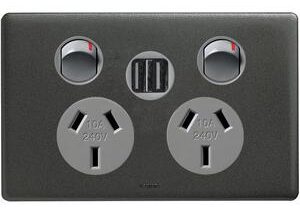
Where they’re not worth it: anywhere you’d otherwise want a standard socket. A USB port replaces socket real estate, and appliances still need conventional outlets. Combination units — two standard sockets plus USB — are usually the better answer.
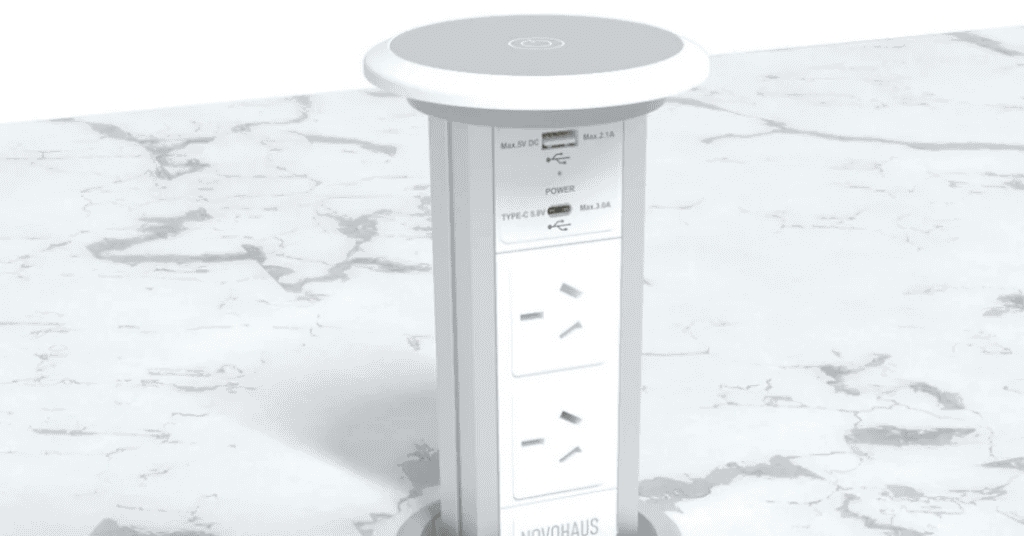
Behind a wall-mounted TV or in a fridge cavity, recessed power points are the thing you actually want, so the plug doesn’t hold the appliance off the wall.
The practical bits
They fit a standard wall box, so in most cases a USB outlet swaps straight in where an existing point is. That’s a quick job.
Depth matters. USB outlets are deeper than standard ones. In older Melbourne homes with shallow boxes — particularly in solid brick or lath-and-plaster walls — the box sometimes needs replacing. Worth us checking before you buy.
It’s licensed work. Replacing a power point is electrical work under Victorian law regardless of how simple the swap looks. It needs a licensed electrician and it generates a Certificate of Electrical Safety.
Batch it. The bulk of the cost of a small job is getting someone to your house. Doing six outlets in one visit costs far less per outlet than doing one, and it’s the right moment to think about whether you’ve got enough conventional outlets while you’re at it.
While the board’s being looked at anyway: if your switchboard is old and lacks RCD protection, that’s a much more important upgrade than USB ports. We’ll say so if that’s what we find — see switchboard upgrades.
Talk to us
We do power point installation across Melbourne’s eastern suburbs — USB outlets, extra sockets, recessed points, weatherproof outdoor points, the lot.
We’ll tell you which spec is worth paying for and which is marketing, and we’ll check the boxes are deep enough before you’ve bought anything.
Registered Master Electrician. Over 200 five-star Google reviews. Lifetime workmanship warranty.
Instant Free Quote
Power Point Installation
Answer a few brief questions and we’ll provide you an instant free quote.
- Instant Quote
- 5.0 Google rating
- Master Electricians